
 Back
Back

Key Takeaways
- Modernize how work flows across systems first, then retire legacy platforms gradually instead of ripping everything out.
- Start with high-volume, painful, stable processes that carry moderate risk.
- Use APIs where possible, RPA only as a bridge, and orchestration when a process spans many systems.
- Build the workflow layer before AI agents so they run as a governed step inside a mapped process.
Introduction
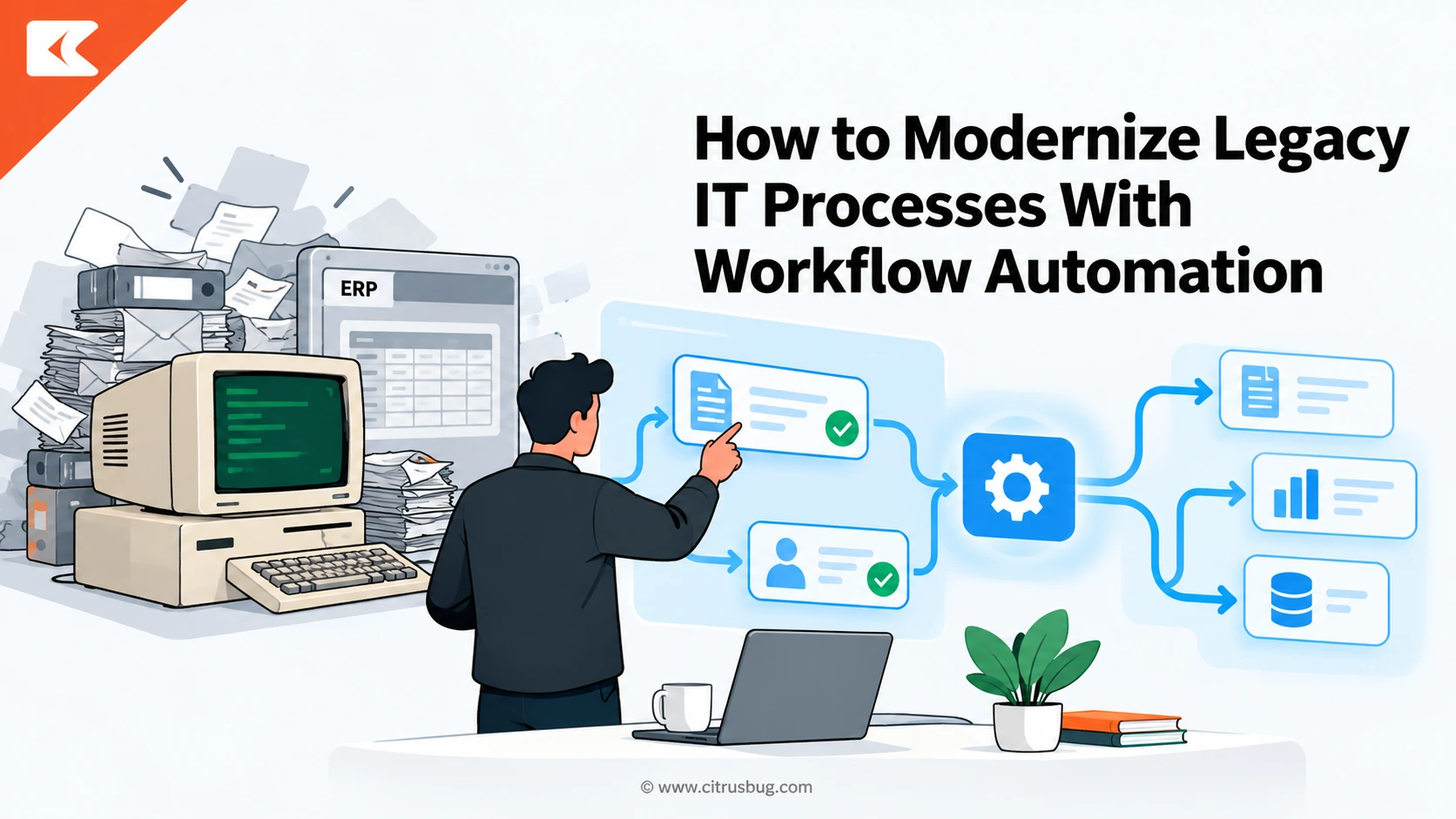
To modernize legacy IT processes, you do not need to rip out the mainframe, the old ITSM tool, or the ERP that still runs payroll. You need to change how work moves between them.
Workflow automation does exactly that by wrapping aging systems in governed, repeatable flows. This blog shows which processes to start with, which integration pattern fits, and how to launch your first workflow in 90 days.
Why “Replace Everything” Stalls, and What Workflow Automation Does Instead
The classic answer to aging technology is a full rip-and-replace program. On paper it looks clean. In practice it runs for years, freezes new requests while it runs, and asks the business to bet everything on a single cutover date. Executive attention rarely lasts that long, and requirements keep shifting before the new system ever ships.
Meanwhile, the legacy stack keeps eating up budget and staff time. Every patch, workaround, and manual export adds technical debt that grows interest. The real pain for most IT teams is rarely the old system itself. It is the swivel-chair work around it: retyping data, chasing approvals by email, and reconciling spreadsheets nobody fully trusts.
So, do you have to replace legacy systems to modernize? Usually not. Modernizing legacy IT processes means changing how work flows across systems, not swapping every system at once. A workflow layer calls the old platform where it still holds the data, adds modern steps around it, and lets you retire legacy pieces one process at a time.
Think of it as modernizing the process first and the platform second. Once workflows are documented, automated, and observable, later decisions about replacing a system become smaller and far less risky. Many teams pair this approach with legacy application modernization services so legacy system modernization moves in step with process improvement.
How to Spot the Legacy IT Processes Worth Modernizing First
Not every old process deserves attention. Start by listening for warning signs from the service desk and operations teams. Watch for swivel-chair data entry between two systems, approvals that live in inbox threads, trackers built in shared spreadsheets, and tasks that only one long-tenured engineer knows how to complete. Each signal points to hidden cost and risk.
Next, score each candidate from one to five on four factors. Volume asks how often the process runs. Pain asks how much delay or rework it causes. Stability asks whether the steps are consistent enough to automate. Risk asks what breaks if the process fails, including security, compliance, and audit exposure for the business.
The best first candidates score high on volume, pain, and stability, with moderate risk. That combination delivers visible wins without putting a mission-critical system on the line. A process that runs a few times a year, or one that changes every week, belongs further down the list, no matter how annoying it feels today.
Map Before You Automate: Turning Tribal Knowledge Into a Process Model
Automating a process nobody has written down only makes the confusion run faster. Legacy IT processes are full of undocumented rules, side agreements between teams, and exceptions handled from memory. Before building anything, turn that tribal knowledge into a shared process model that IT and business owners agree reflects reality, not the official policy document.
Start with short interviews with the people who actually do the work, then walk through recent tickets from end to end. Pull exception logs and rework notes to see where things really break. Where systems produce event logs, process mining tools can reconstruct the true path a request takes, including loops and handoffs that interviews miss.
Capture the result in a simple flow diagram using a standard such as BPMN. Note each system touched, each human decision, every data field passed along, and every exception path. Also map application dependencies, because knowing which downstream systems share the same data prevents an automation from silently breaking a report, an integration, or an audit trail.
Finally, fix obvious waste before you automate it. Remove approval steps that never reject anything, merge duplicate forms, and agree on one source of truth for key data such as user identities and asset records. A cleaner process is cheaper to build, easier to test, and far less likely to need rework after go-live.
Choosing the Right Integration Pattern for Legacy Systems
The integration pattern decides how well your automation survives over time. Most vendor content pushes a single answer, but legacy estates rarely fit one mold. The right choice depends on what each system exposes, how often its interface changes, and how many teams and tools the process crosses from the first request to final completion.
When the Legacy System Has APIs
If the legacy platform offers REST or SOAP APIs, a database view, or a message queue, start there. API integration is the most stable pattern because it does not depend on screen layouts. An iPaaS or integration platform adds ready connectors, data mapping, retry logic, and monitoring, so your team is not hand-coding every connection from scratch.
Even older platforms often hide more interfaces than teams expect, such as batch file drops, stored procedures, or vendor add-on modules. Investigate these before ruling out an API route. Specialists in enterprise system integration consulting can surface these hidden entry points and design integrations that stay stable when vendors ship new versions.
When the Screen Is the Only Door
Some green-screen terminals, thick-client desktop apps, and heavily customized tools offer no usable API at all. Here, robotic process automation fills the gap. Software bots log in, navigate screens, read fields, and enter data the way a person would, which automates the swivel-chair work without touching a single line of legacy code.
The trade-off is fragility. When a field moves or a screen loads slowly, a bot can fail. Treat RPA as a bridge rather than a permanent foundation, and build in monitoring, resilient selectors, and human review for exceptions. Teams without in-house bot skills can lean on RPA development services to design bots that are easier to maintain.
It also helps to understand where the market is heading before committing to a bot-heavy strategy. Reviewing current RPA adoption trends shows how organizations increasingly combine bots with APIs, document processing, and AI, rather than relying on screen automation alone to carry core IT workflows that the business depends on every day.
When the Process Spans Many Systems and Teams
Processes such as onboarding or change management cross the ITSM tool, identity platform, HR system, email, and sometimes a mainframe. In these cases, a workflow orchestration layer works best. It sits above every system, holds the end-to-end process model, and calls APIs, bots, or people at each step while tracking state and audit history.
Orchestration also enables the strangler fig pattern. New process steps are built around the legacy system, which keeps doing what it does well, while modern services gradually take over its functions one by one. Over time, the old core shrinks until retiring it becomes a routine decision rather than a high-stakes cutover weekend.
5 Legacy IT Workflows to Modernize, Before and After
The patterns above become clearer with real examples. The five IT workflows below are common in hybrid IT environments and usually make strong early candidates. Each one shows how the work typically runs today and how a governed automated version changes it, often using workflow automation solutions that connect existing tools instead of replacing them.
1. Employee Onboarding and Access Provisioning
Before: HR emails IT a new starter form, often incomplete. A service desk analyst creates directory accounts, then raises separate tickets for email, VPN, and business applications. Another team orders the laptop. The new hire often waits days for full access, and nobody can say with confidence which permissions were granted, by whom, or why.
After: a hire event in the HR system triggers one orchestrated workflow that handles new employee access and device setup together. It creates directory accounts, assigns role-based access groups, requests hardware, and opens tasks only where human action is needed. Every grant is logged, which also simplifies offboarding and periodic access reviews.
2. Change Requests and CAB Approvals
Before: engineers fill in long change forms, attach documents by email, and wait for a weekly change advisory board meeting. Low-risk changes queue alongside risky ones. Approvals are recorded in meeting notes, so audit evidence is scattered, and urgent fixes are often pushed through informally because the formal path feels far too slow.
After: the workflow scores each change by risk using rules such as affected services, timing, and recent incidents. Standard, pre-approved changes go straight to scheduling. Higher-risk changes route to the right approvers with context attached, so the board reviews only what truly needs discussion. Every decision is time-stamped for auditors automatically.
3. Incident Triage and Ticket Routing
Before: tickets arrive by phone, email, and portal with inconsistent detail. A dispatcher reads each one, guesses the category, and assigns a queue. Misrouted tickets bounce between teams, priorities are set by whoever shouts loudest, and SLA timers keep running while the ticket waits quietly for someone to notice it.
After: intake rules classify tickets using form data, keywords, and affected configuration items, then route them to the correct resolver group. Monitoring alerts can open incidents directly with diagnostics attached. Escalations fire automatically as SLA thresholds approach, and common requests such as password resets resolve through self-service without reaching a human at all.
4. Patch and Vulnerability Remediation
Before: the security team exports scanner findings to a spreadsheet and emails system owners. Server teams cross-check the list against an aging CMDB, schedule patches by hand, and report progress in yet another spreadsheet. Findings slip through the gaps between tools, and nobody has a reliable view of what remains exposed on any given day.
After: new scanner findings create remediation tasks automatically, enriched with asset owner and business criticality from the CMDB. The workflow schedules patching inside approved maintenance windows, triggers deployment tools, and reruns scans to confirm closure. Exceptions require a documented risk acceptance, so leadership sees live exposure instead of last month’s static report.
5. Asset and License Reconciliation
Before: an analyst exports data from the asset register, procurement system, and software vendor portals every quarter. Matching records by hand takes days, licenses are paid for on devices that no longer exist, and vendor audit requests trigger a scramble because no single trusted inventory is available when it matters most.
After: scheduled flows pull data from discovery tools, procurement, and directory services, then reconcile records against agreed matching rules. Mismatches create review tasks for the right owner. Unused licenses are flagged for reclamation, and retired devices update the register automatically, giving IT and finance one continuously current inventory to work from.
A 90-Day Rollout Plan for Your First Automated Workflow
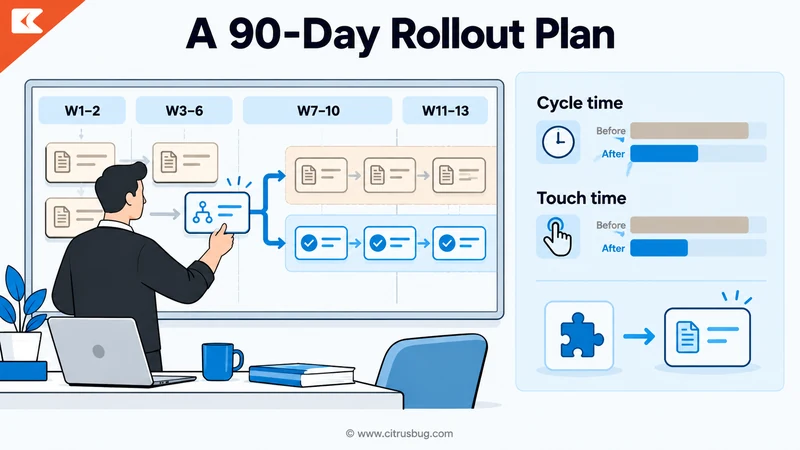
Weeks 1 to 2, discovery: pick one candidate from your scoring exercise and name a single accountable process owner. Interview the people involved, map the current flow, and agree on baseline measures such as cycle time and touch time. Define what success looks like in plain terms before anyone opens a design tool or writes code.
Weeks 3 to 6, pilot build: design the target flow, choose the integration pattern for each system, and build in a test environment. Many teams speed up this stage with low-code and no-code platforms, which let process owners shape forms and rules while engineers handle integrations, security, and error handling behind the scenes.
Weeks 7 to 10, parallel run: operate the automated workflow alongside the legacy process for a limited group of users or request types. Compare outcomes daily, log every exception, and tune rules quickly. Keep the old path available as a fallback, so the business never depends on an untested automation during this learning stage.
Weeks 11 to 13, cutover and scale: move the pilot group fully to the new workflow, retire the manual steps, and document runbooks for support. Then review results with stakeholders, share what changed, and pick the next process from your list. Each completed workflow makes the next one faster because connectors and patterns get reused.
Where AI Agents Fit, and Why Legacy Systems Still Trip Them Up
AI agents promise to triage tickets, summarize incidents, draft change plans, and even resolve routine requests on their own. The catch is that agents need clean data, reliable interfaces, and clear permissions. Legacy systems with no APIs, inconsistent records, and undocumented rules are exactly where many promising agent pilots quietly stall or get cancelled.
This is why the workflow layer comes first. When a process is already modeled, integrated, and logged, an agent can be added as one step inside it, with defined inputs, guardrails, and a human checkpoint for high-impact actions. The orchestration layer gives the agent governed access to legacy data instead of risky direct connections.
Good early uses include ticket summarization, suggested routing, knowledge article drafting, and dependency mapping for future modernization work. Studying proven patterns for AI agents in business helps teams pick tasks where agents add judgment without owning irreversible decisions, which keeps both risk and expectations under control during the first few rollouts.
Metrics That Prove the Modernization Is Working
Leaders fund what they can measure. Track cycle time, meaning the elapsed time from request to completion, and touch time, the minutes people actually spend working on it. The gap between the two reveals waiting, which is usually where legacy processes waste the most time and where workflow automation shows its clearest gains.
Add quality measures as well. Exception rate shows how often the workflow needs human rescue, and first-time-right rate shows how often outputs are correct without rework. For service workflows, watch mean time to resolve and SLA compliance. For security workflows, track how long vulnerabilities stay open after they are first detected.
Finally, measure the strategic shift. Track the share of IT effort spent keeping legacy systems running versus building new capability, and the number of legacy functions retired each quarter. Reporting these alongside user satisfaction tells a complete story: faster service, fewer errors, and a legacy footprint that is genuinely shrinking over time.
Common Automation Mistakes That Hinder Long-Term Business Growth
Automation can create its own technical debt when it is rushed or left without ownership. The warning signs below show up again and again in legacy modernization programs. Each one is avoidable with a little discipline early on, and catching them before go-live saves far more effort than fixing them afterward.
- Automating a broken process: Speeding up redundant approvals and duplicate data entry only locks existing waste into code that is harder to change later.
- Relying on brittle bots for core flows: Screen-based automations that run critical processes without monitoring will fail silently the first time a vendor changes a layout.
- Leaving workflows without an owner: Every automated process needs a named business owner who approves changes, reviews exceptions, and decides when rules must evolve.
- Allowing shadow automations to spread: Scripts and personal flows built outside governance create invisible dependencies that nobody can support, secure, or audit.
- Skipping documentation and version control: Undocumented automations become the next generation of tribal knowledge, recreating the exact problem modernization was meant to solve.
- Having no exit plan for the legacy system: Without a roadmap to retire the old platform, the automation layer simply adds cost on top of everything you already maintain.
Conclusion
Choosing to modernize legacy IT processes with workflow automation lets you improve service now while lowering risk later. Start with one high-volume, painful process, map it honestly, pick the right integration pattern, and prove value within 90 days.
Each workflow you automate removes manual effort, documents hidden knowledge, and moves your organization steadily toward a modern, AI-ready IT environment without a risky big-bang cutover.