
 Back

Key Takeaways
- An insurance CRM manages leads, client relationships, and renewals, while an agency management system (AMS) typically handles policy records, commissions, and related agency operations.
- Packaged platforms already offer insurance-specific data models and workflows. Custom development is more relevant when integration requirements or operational needs justify it.
- Smaller agencies with standard workflows will generally find packaged software more practical.
- Under the illustrative five-year cost assumptions in this guide, custom development becomes less expensive at approximately 65 users. This is not a universal break-even point.
- A CRM can support compliance through access controls, audit trails, and retention rules, but it does not make an agency or insurer compliant by itself.
Insurance CRM software development involves building a customer relationship management (CRM) system around insurance workflows, including policies, coverage details, renewal dates, producers, and commissions. For most small agencies, buying a packaged platform is faster and less expensive. Custom development becomes worth evaluating when integration costs, licensing, or workflow limitations create problems that existing products cannot address efficiently.
Four factors shape the decision: user count, the number of systems that need to exchange data, how closely your workflows match available products, and the ongoing cost of maintaining the software. This guide compares custom development with off-the-shelf insurance CRMs across features, integration, cost, and compliance.
What Is Insurance CRM Software, and How Is It Different From an Agency Management System?
Insurance CRM software helps agents and service teams manage prospects, clients, policy-related information, and follow-up activities. It can organize renewal reminders, identify cross-selling opportunities, track producer activity, and keep customer interactions accessible to authorized team members.
An agency management system serves a different role. An AMS typically manages agency operations such as policy records, commissions, accounting, and documentation.
Two other systems may be involved:
- Policy administration system (PAS): Used by insurers to issue, maintain, and administer insurance policies.
- Claims management system: Supports claims activities, from first notice of loss through assessment and settlement.
The distinction matters because an agency may already have a reliable AMS but lack effective tools for managing leads, renewals, or customer communication. In that case, replacing the entire system may be unnecessary. A CRM connected to the existing AMS could address the gaps with less disruption.
What CRM Do Insurance Companies Use?
Insurance agencies, brokerages, and carriers use different types of CRM depending on their operational requirements. Some use CRM features within an AMS, others add an insurance-specific CRM, and larger organizations may use enterprise CRM platforms.
| CRM category | Examples | Best suited for | What to verify |
| CRM features within an AMS | Applied Epic, AMS360, HawkSoft, EZLynx | Agencies that want policy and relationship information connected | Pipeline management, reporting, and marketing capabilities |
| Insurance-focused CRM | AgencyZoom, AgencyBloc | Agencies with insurance-specific sales and servicing workflows | Compatibility with the existing AMS and supported data fields |
| General CRM | HubSpot, Microsoft Dynamics 365 | Teams that need configurable sales and customer management | Available connectors, integration costs, and insurance-specific functionality |
| Enterprise financial services CRM | Salesforce Financial Services Cloud for Insurance Brokerages | Brokerages and larger organizations with complex workflows | Edition requirements, implementation costs, and additional usage charges |
These examples are starting points for evaluation, not a universal ranking. Product capabilities, ownership, packaging, and pricing can change, so confirm the current offering directly with each vendor.
However, feature availability does not guarantee that a product will fit every agency’s processes. The practical question is whether it supports your workflows and connects reliably to your existing systems.
What Is the Difference Between Custom and Off-the-Shelf Insurance CRM?
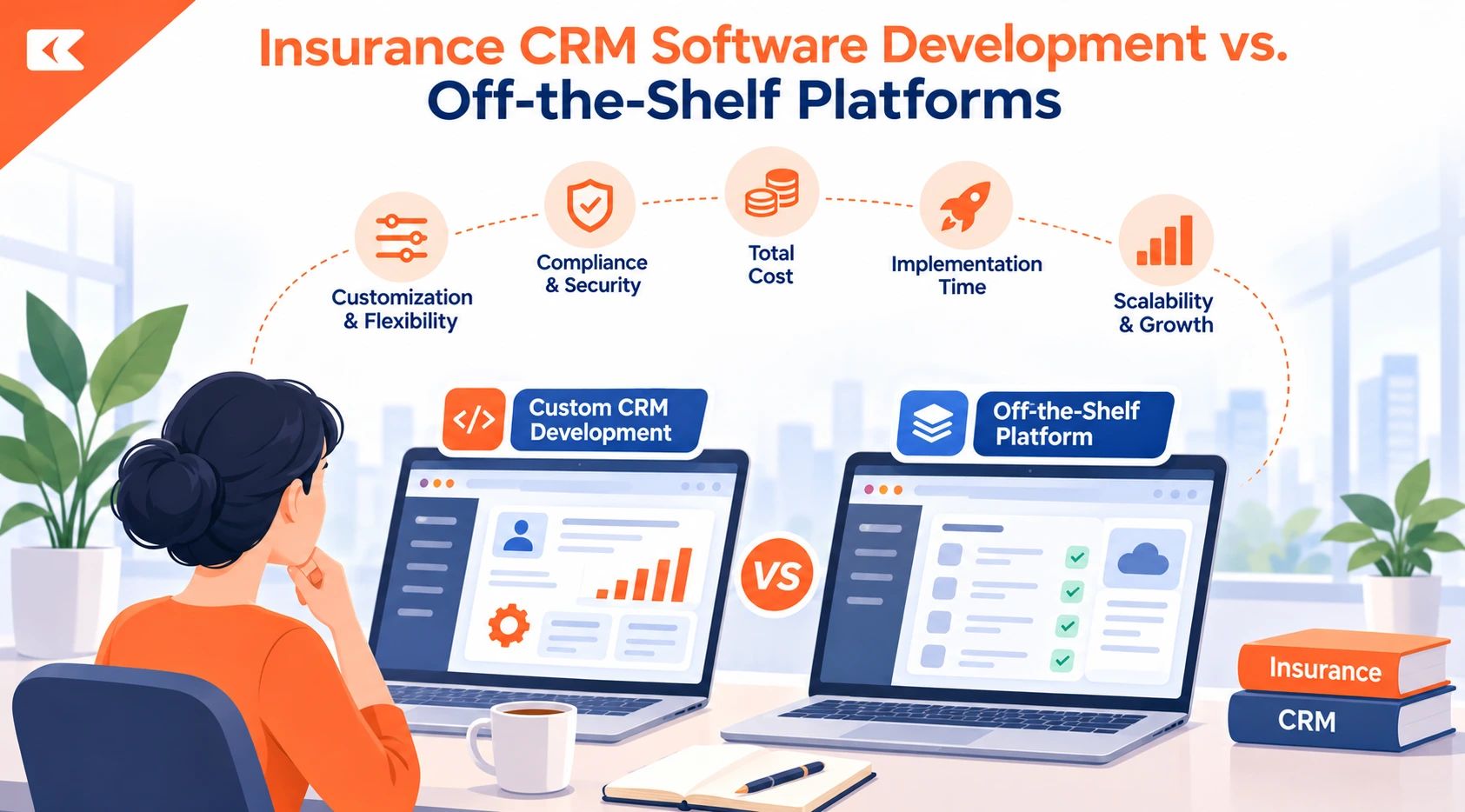
An off-the-shelf insurance CRM is a packaged product that an organization licenses and configures. Custom insurance CRM software is developed around specific business processes, data requirements, and integrations. The degree of ownership depends on the development contract and the licenses governing third-party components.
| Factor | Off-the-shelf CRM | Custom CRM |
| Initial investment | Generally lower | Higher upfront development cost |
| Ongoing costs | Subscriptions, add-ons, and integration fees | Hosting, support, maintenance, and future changes |
| Time to launch | Often days or weeks for basic configuration | Usually months, depending on scope |
| Workflow fit | Workflows must fit available features or configuration | Can be designed around documented business requirements |
| Integrations | Prebuilt connectors where available | Connectors can be developed for supported systems |
| Ownership | Vendor controls the product and roadmap | Source-code ownership depends on the contract |
| Maintenance | Vendor maintains the core product | Your organization or development partner maintains custom components |
Neither approach is automatically better. Buying is usually preferable when the available features meet your needs. Custom development becomes more attractive when recurring workarounds, missing integrations, or licensing costs create a measurable operational burden.
Where Do Off-the-Shelf Insurance CRMs Fall Short?
Off-the-shelf insurance CRMs can be limited by integration coverage, workflow flexibility, and the cost of scaling. However, their capabilities have expanded, so the decision should not be based on the assumption that packaged platforms lack insurance-specific functionality.
Carrier and policy system integrations
Insurance agencies may need information from multiple carriers, policy systems, claims platforms, and accounting tools. The 2026 Big “I” Agency Universe Study identifies connections to multiple carrier interfaces as a major technology challenge for independent agencies.
A packaged CRM may support some required connections but not others. Before choosing a platform, check which data can be read or written, how frequently it synchronizes, how failed transactions are handled, and whether additional integration fees apply.
Workflow limitations
An agency may need specific rules for producer assignments, renewal escalation, commission reconciliation, or client servicing. If those rules cannot be configured in the existing product, staff may rely on spreadsheets or manual handoffs.
Custom development can address these gaps, but only when the value of the improved workflow justifies the cost of building and maintaining it.
AI across connected systems
AI can help summarize customer interactions, prioritize leads, and automate routine tasks, while AI agents can carry out multi-step work across systems.
For example, a workflow that needs to retrieve policy information from an AMS, update a CRM, and trigger an activity in another application requires suitable permissions and integrations. Native AI features may handle some of these steps, while others may require an integration layer or custom workflow.
The 2026 Big “I” study reports that 46% of independent agencies use AI, compared with 15% in 2024. It also identifies limited knowledge of AI capabilities and security or privacy concerns as adoption barriers. Agencies should assess data access, output validation, and human oversight before introducing AI into customer-facing or consequential workflows.
Costs that grow with usage
Subscription fees may rise as the team expands. Additional charges for integrations, AI usage, storage, or premium features can also affect the total cost.
That does not mean custom software development will automatically be cheaper. A custom system introduces its own maintenance, infrastructure, security, and enhancement costs. Compare the total cost of ownership rather than looking only at license fees.
For a small agency with standard requirements, packaged software will usually remain the more practical choice.
When Does Insurance CRM Software Development Make Sense?
Insurance CRM software development is worth evaluating when a packaged product cannot meet important requirements without expensive workarounds or integrations.
Consider a custom build or integration layer when:
- Your team repeatedly uses spreadsheets to compensate for missing CRM functionality.
- You need to connect multiple carrier, policy, or claims systems that lack suitable prebuilt connectors.
- Licensing and add-on costs increase significantly as your organization grows.
- Your producer, commission, renewal, or servicing workflows require rules that existing products cannot support.
- You need specific access controls, audit records, or data-handling workflows that the available configuration cannot provide.
- You have the budget and technical resources to maintain the software after launch.
The next decision is how much to build. A custom insurance CRM does not have to replace every system you already use.
| Approach | When it fits | Integration burden | Main consideration |
| Buy an AMS-native CRM | Existing systems meet most requirements | Low to moderate | Confirm pipeline and reporting capabilities |
| Connect a general CRM to the AMS | Sales and customer management need more flexibility | Moderate to high | Verify connector coverage and data synchronization |
| Add a custom layer to the existing AMS | The AMS works, but specific workflows need improvement | Depends on API access and scope | Preserve the existing system of record |
| Build a full custom platform | Requirements span multiple systems and cannot be met effectively by available products | High | Requires a larger budget and long-term maintenance |
In many cases, extending an existing system is the sensible middle ground. A custom layer can connect applications, automate handoffs, and provide targeted functionality without requiring a complete replacement.
Citrusbug Technolabs provides CRM automation solutions for workflows that need to connect business applications. The appropriate approach depends on the systems involved, the data they expose, and the actions the workflow must perform.
For a related example of deciding whether to repair, extend, or replace an operational system, see our article on signs that a claims management system is costing customers.
What Are the Key Features of an Insurance CRM?
An insurance CRM needs standard customer relationship management capabilities alongside insurance-specific data and workflows. The feature set should reflect how your agency sells, services, renews, and manages policies.
Sales and lead management
- Lead capture, routing, and producer assignment
- Pipeline stages aligned with quoting and binding
- Follow-up tasks and customer interaction history
- Lead prioritization and conversion reporting
Policy servicing and renewals
- Policy and coverage information
- Renewal reminders and escalation rules
- Cross-selling opportunities based on customer needs
- Document management, electronic signatures, and intelligent document automation
- Links to the AMS or policy administration system
Commission and financial workflows
- Producer and commission records
- Producer split calculations where required
- Reconciliation with carrier statements and accounting records
- Links to billing and financial systems
Integrations and data synchronization
- AMS and policy system connectivity
- Carrier data exchange where supported
- Email, telephony, and messaging integrations
- Error handling, synchronization monitoring, and data validation
Security, reporting, and AI
- Role-based access control (RBAC)
- Audit trails and data retention rules
- Reports on renewals, retention, and producer performance
- AI-assisted summaries or lead prioritization when supported by reliable data
- Human review for decisions that could materially affect customers
These features should be prioritized by business value rather than included simply because they are available. A focused first release is often easier to validate and maintain than a platform that attempts to cover every workflow immediately.
How Much Does It Cost to Build a Custom Insurance CRM?
The cost of custom insurance CRM software development depends on the number of modules, integration complexity, data migration requirements, security controls, and ongoing support.
Citrusbug Technolabs estimates the following cost and timeline ranges for different project scopes:
| Project scope | Estimated development cost | Estimated timeline |
| Focused insurance module | 20,000–50,000 | 2–4 months |
| Multi-module insurance platform | 100,000–500,000+ | 6–18 months |
| Workflow automation within an existing CRM | 10,000–30,000 | 4–8 weeks |
These are indicative estimates, not independent industry benchmarks or guaranteed quotes. Actual cost and delivery time depend on the scope, available integrations, data quality, and approval process.
The main cost drivers include:
- Number and complexity of integrations
- Data migration, deduplication, and validation
- User roles and access requirements
- Compliance and audit requirements
- AI features and external service usage
- Customer or agent portals and mobile access
- Hosting, monitoring, support, and future enhancements
For a broader breakdown of software purchasing and development costs, see our guide to custom versus off-the-shelf software costs.
Five-year cost comparison: buying versus building
The following example illustrates how user count can affect the financial decision. It is a simplified model, not a quote or a prediction of what a particular agency will spend.
Assumptions
- Packaged CRM: $100 per user per month in the first year
- Annual subscription price increase: 7%
- One-time packaged setup and integration: $50,000
- Custom development: $250,000
- Custom support and maintenance: $50,000 per year
- Evaluation period: five years
- User count remains constant throughout the period
| Users | Packaged CRM, five-year total | Custom CRM, five-year total | Lower modeled cost |
| 25 | $223,000 | $500,000 | Packaged CRM |
| 100 | $740,000 | $500,000 | Custom CRM |
| 250 | $1,775,000 | $500,000 | Custom CRM |
Under these assumptions, the two options reach approximately the same five-year cost at 65 users. The threshold changes when any input changes.
The model also assumes that custom development stays within budget and that annual support remains fixed. It does not include potential differences in internal staffing, migration disruption, delayed delivery, changing user counts, or additional features. Those costs can materially affect the comparison.
Packaged CRM prices also vary by edition and usage. For example, Salesforce’s insurance brokerage pricing page lists additional brokerage credits at $10,000 per 1,000 credits. Check current pricing, included usage, and applicable add-ons before using a vendor quote in your own model.
The right question is not whether custom software becomes cheaper at a particular number of users. It is whether the total cost and operational value of a custom system make sense for your specific requirements.
How Do You Build and Roll Out a Custom Insurance CRM?
The most important work often involves integration, data quality, and user adoption rather than the screens themselves. A structured rollout helps control scope and identify problems before they affect the entire organization.
- Map the workflows. Document how your team manages leads, quoting, policy servicing, renewals, and commissions. Identify manual handoffs and recurring workarounds.
- Define the data model. Identify the records the CRM needs, such as clients, policies, coverages, producers, commissions, and carriers. Specify which system owns each record.
- Plan the integrations. Confirm API availability, permissions, supported fields, synchronization frequency, rate limits, and error-handling requirements.
- Clean existing data. Resolve duplicates, incomplete records, and inconsistent identifiers before migrating or synchronizing information.
- Start with a Minimum Viable Product (MVP). Prioritize the workflows with the clearest business value. Move less critical functionality into later releases.
- Roll out in phases. Start with one team or workflow, train users, and collect feedback before expanding deployment.
- Measure and improve. Track adoption, renewal follow-up, data accuracy, integration failures, and time spent on manual tasks. Use the results to guide improvements.
This approach helps an agency test the system against real workflows before committing to a broader rollout.
Relevant Experience With API-Connected Brokerage Software
Citrusbug developed a web platform for Clover Mortgage Brokers, an Ontario mortgage brokerage. Built with Django and PostgreSQL, the platform integrates CRM and lender APIs to present lending products and recommend options based on borrower profiles.
The case study reports a 40%+ increase in lead conversion, three times more product discovery engagement, response times under 200 milliseconds, and 99.9% system reliability.
Which Regulations Shape an Insurance CRM Build?
Insurance CRM requirements depend on the organization’s activities, the information it handles, and the jurisdictions where it operates. A software design should account for applicable privacy, security, recordkeeping, and vendor-management obligations from the start.
Three important regulatory areas in the United States are:
| Regulation or guidance | Scope | Implications for CRM design |
| Gramm-Leach-Bliley Act (GLBA) | Applicable financial institutions, including certain insurance businesses | Protect customer information and establish appropriate safeguards |
| NAIC Insurance Data Security Model Law (#668) | Licensees in jurisdictions that have adopted the model | Address information security programs, service-provider oversight, and incident reporting |
| New York Department of Financial Services (NYDFS) Part 500 | Entities covered by New York’s cybersecurity regulation | Apply relevant cybersecurity, access-control, and audit requirements |
| NAIC AI Model Bulletin | Insurers in jurisdictions applying the guidance | Assess AI governance, risk management, and oversight obligations |
The NAIC’s data security model law brief explains the model’s requirements and exemptions. The model is not automatically binding in every state. Requirements depend on adoption and applicable state law.
New York’s NYDFS cybersecurity resource center provides information on 23 NYCRR Part 500, including amendments that took effect on November 1, 2023.
The NAIC’s AI Model Bulletin was adopted in December 2023. Its applicability depends on the relevant jurisdiction and circumstances. Organizations should check the current adoption status and seek legal or compliance advice where necessary.
A few design principles apply across many insurance CRM projects:
- Access control: Restrict customer and policy information according to users’ responsibilities.
- Auditability: Record relevant access and changes to sensitive records.
- Data retention: Define how information is retained, archived, and deleted.
- Vendor oversight: Review the security practices and contractual responsibilities of service providers.
- AI governance: Assess data access, output reliability, and human review where AI is used.
The NAIC Model #668 includes exemptions from its information security program requirement for certain licensees, including those with fewer than 10 employees and those compliant with the HIPAA Security Rule, subject to the model’s terms and applicable law. Do not assume that an exemption under a model law removes other obligations.
A vendor’s SOC 2 report or an “insurance-ready” label does not establish that your organization is compliant. Compliance depends on the applicable requirements, your implementation, operational practices, and ongoing oversight. This section is general information, not legal advice.
How Do You Choose an Insurance CRM Development Company?
Choosing an insurance CRM development company requires more than comparing project estimates or online ratings. Evaluate whether the team understands insurance workflows, can integrate the required systems, and can support the software after launch.
Ask prospective development partners:
- Which AMS or policy administration systems have you integrated with, and can you provide a relevant reference?
- How would you model policies, producers, commissions, and producer splits for our workflows?
- Which systems will remain the source of truth for each type of data?
- How will access controls, audit trails, and data retention be implemented?
- Who will own the source code, documentation, deployment configuration, and integration logic?
- What are the ongoing hosting, maintenance, and support costs?
- Can we start with a focused proof of concept before committing to the full scope?
Make ownership explicit in the contract. Confirm which deliverables transfer to you, which third-party components have separate licenses, and who controls hosting accounts, repositories, credentials, and deployment environments.
Build, Buy, or Extend: Which Path Fits Your Agency?
The best option depends on how well available software supports your workflows and what it will cost to close the remaining gaps.
| Your situation | Recommended starting point |
| Small agency with standard workflows | Buy a packaged CRM or use CRM capabilities within your existing AMS |
| Existing AMS works, but certain processes need improvement | Extend it with integrations or a custom automation layer |
| Multiple systems and recurring manual work create high operational costs | Evaluate custom integrations or a focused CRM module |
| Complex requirements span multiple core systems | Compare a custom platform with a phased integration strategy |
Conclusion
Choosing between an off-the-shelf platform and custom insurance CRM software development comes down to your workflows, integration requirements, and long-term costs. Packaged CRMs are usually the practical choice when existing features meet your needs. If disconnected systems, manual workarounds, or licensing costs create persistent problems, extending your current AMS or building a custom CRM may offer a better fit.
Before committing to either approach, map your workflows, identify the systems that need to exchange data, and compare the five-year cost of each option. This helps you prioritize the capabilities that deliver the most operational value without taking on unnecessary development or maintenance costs.
If your requirements call for custom integrations or insurance-specific workflows, explore our insurance software development services to see how a tailored software approach can support your operational needs.
Platform features, pricing, and regulations change over time. Confirm current vendor documentation and applicable legal requirements before making a purchasing or development decision.
Frequently Asked Questions
Is a CRM the same as an agency management system?
No. An AMS typically manages policy records, commissions, accounting, and agency operations, while a CRM focuses on leads, customer relationships, and follow-up. Some products combine capabilities, so check which functions are included and how the systems exchange data.
Can a custom insurance CRM work with my existing AMS or policy system?
Often, yes, if the system provides suitable APIs, supported connectors, or data exports. Integration feasibility depends on available permissions, accessible fields, usage limits, vendor restrictions, and the required synchronization behavior. Confirm these details before estimating the work.
How long does it take to build a custom insurance CRM?
Citrusbug’s published estimates are 2–4 months for a focused insurance module and 6–18 months for a multi-module platform. Actual timelines depend on the number of integrations, data migration, scope, and approval process.
Who owns the code of a custom insurance CRM?
You own the custom code developed for your insurance CRM. At handover, the development company should provide the source code, documentation, and repository access. Third-party components may remain subject to separate licensing terms.
Does a custom CRM make my agency compliant with state insurance rules?
No. A CRM can support compliance through access controls, audit trails, data retention, and other safeguards, but your organization remains responsible for its applicable legal obligations and operational practices. Requirements vary by jurisdiction, so consult your compliance or legal team.