Explore our Healthcare Technology Offerings Citrusbug Healthcare → Citrusbug Healthcare →
Let’s Talk
DATA INTEGRATION & ETL

ETL Integration Services Built for SQL Server and SSIS

Citrusbug delivers ETL integration services using SQL Server and SSIS to modernize legacy data workflows, replace manual data transfers, and keep critical pipelines easier to maintain and monitor. We build new SSIS packages, improve existing ones, and support Azure migrations without requiring a complete rebuild.

Hero Image
500+
Projects Delivered
98%
Client Retention

Certified

ISO 27001 ISO 27001
SOC 2 SOC 2
HIPAA HIPAA
GDPR GDPR

Trusted By Industry Leaders

Bosch
Deloitte
eClinicalWorks
Epic Systems
Flipkart
McKinsey
HSBC
Softbank
Allianz
Airbnb
United Health
Phelic
Sun Pharma
Target
US Foods
Advinow

Certifications and Accreditations

What Our ETL Integration Services Cover

From new SSIS package development to legacy modernization and Azure migration, our ETL integration services help teams build, maintain, and move data pipelines across their existing technology environment.

Custom SSIS Package Development

We design control flow and data flow logic in SQL Server Data Tools, build reusable connection managers, configure error handling and logging, and deploy packages through the SSISDB catalog using the project deployment model.

Legacy SSIS Estate Modernization

Inherited packages often come with limited documentation and fragile dependencies. We map the existing workflows, rebuild unreliable transformations, and improve the code and package structure so your team can maintain and extend the environment without relying on the original vendor.

On-Premises to Azure Migration

We migrate existing SSIS workloads to Azure using Azure-SSIS Integration Runtime, handling SSISDB migration, authentication, package dependencies, and production validation before cutover. Where packages require changes for the target environment, we address them as part of the migration.

Data Warehouse and BI Pipelines

We build ETL workflows that support data warehouses and reporting environments, including incremental loads, dimensional models, and slowly changing dimensions. This helps keep reporting data accurate without relying on unnecessary full reloads as data volumes grow.

Get a Clear Plan for Your ETL Environment

Tell us what’s slowing down your SQL Server and SSIS workflows. We’ll review your current setup and outline the right approach for modernization, development, or migration.

Discuss Your ETL Project

When Legacy SSIS Pipelines Become Hard to Maintain

If your SQL Server environment has been running SSIS packages for years, the challenge may not be moving data itself. It may be understanding how the existing pipelines work and keeping them reliable as requirements change.

• Limited documentation: Packages, dependencies, and transformation logic may be difficult for your current team to understand.
• Fragile workflows: Small changes can break existing packages or create unexpected issues across dependent processes.
• Manual recovery: Failed jobs may still require someone to investigate, rerun, or validate the data manually.
• Growing load times: Increasing data volumes can turn previously manageable ETL jobs into longer-running processes.
• Harder integrations: Adding new systems or data sources becomes more difficult when existing pipelines rely on outdated structures and workarounds.
• Aging systems: Older applications and databases can make changes to connected SSIS workflows more difficult to plan and execute. This is where modernizing legacy applications can also help reduce dependencies that hold data workflows back.

Over time, these issues can turn routine ETL maintenance into recurring operational work and make the environment harder to extend.


The Key Components Behind an SSIS Data Pipeline

An SSIS package contains several components that work together to move and transform data. The control flow manages the sequence of tasks, the data flow handles rows and transformations, and connection managers define where data comes from and where it goes.
Control Flow

Sequences tasks such as Execute SQL, File System, and Script operations, with loops and conditional branching for multi-file or multi-table loads.

Data Flow

Moves data from source to destination through transformations such as lookups, derived columns, and conditional splits within a pipeline.

Connection Managers

Store and reuse the connection details for data sources and destinations, making it easier to update shared connection settings without changing every package.

SSISDB Catalog

Stores deployed packages, execution history, parameters, and environment configurations, giving teams a central place to manage and troubleshoot SSIS workloads.

Moving SSIS Packages to Azure With Minimal Rework

Existing SSIS packages can run in Azure through the Azure-SSIS Integration Runtime, allowing teams to move established ETL workflows without rebuilding everything from scratch. We handle the SSISDB catalog migration, network and identity configuration, and validation runs to confirm packages continue producing the expected results before the on-premises environment is retired.

  • Azure-SSIS Integration Runtime lift and shift
  • Managed identity authentication for Data Factory
  • SSISDB catalog migration and validation
  • Dual standby runtime for failover

Data Sources and Business Systems We Integrate With

SSIS supports a wide range of common data sources, while custom connection managers and components can extend that connectivity when your environment requires something more specific. We configure integrations around the systems your pipelines need to move data between.

Relational Databases

SQL Server, Azure SQL, Oracle, and MySQL sources, connected through native OLE DB and ODBC drivers with parameterized queries that pull only the rows that changed since the last successful run.

Flat Files and Excel

Fixed-width files, delimited exports, and Excel workbooks handled with schema validation built into the data flow, so a renamed column upstream doesn't silently break a load three steps later.

Cloud Storage and APIs

Azure Blob Storage, Amazon S3, and REST APIs pulled in through script tasks and custom components wherever SSIS doesn't ship a native connector out of the box.

ERP, CRM, and SaaS Platforms

Salesforce, Microsoft Dynamics, and industry-specific platforms integrated through their APIs and mapped into the same warehouse tables as your core SQL Server data.

Our Process for Delivering ETL Integration Projects

We deliver ETL integration services around the data environment you already have, whether you're building new SSIS packages or improving existing pipelines. We assess the current setup, define the target architecture, validate the data, and deploy with the monitoring your team needs to maintain it.

01

Discovery and Audit

We inventory every existing package, connection manager, and scheduled job, then flag which ones are safe to leave alone and which ones are quietly failing.

02

Architecture and Mapping

We design the control flow, data flow, and target schema before writing a single task, so the package structure matches how your data actually changes.

03

Build and Validate

Packages get built, tested against production-scale data volumes, and checked row by row against existing output before anything replaces it.

04

Deploy and Monitor

We deploy into the SSISDB catalog with logging and alerting configured, so a failed load surfaces as a notification, not an angry email the next morning.

Related Projects

View All Case Studies →
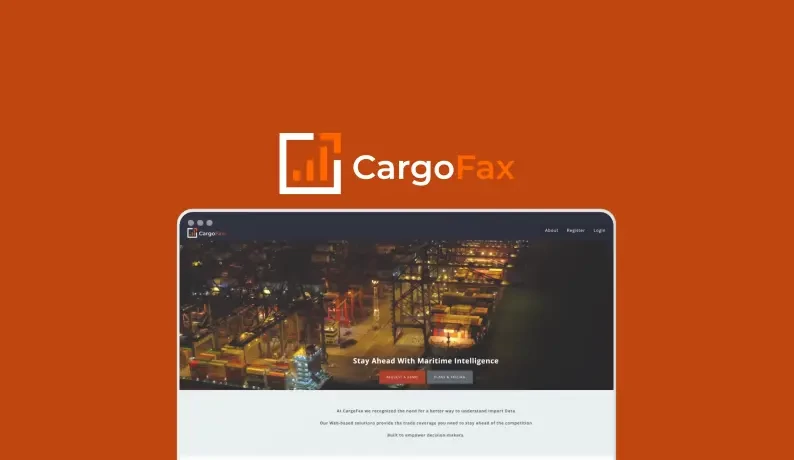
LOGISTICS CargoFax

CargoFax

A data-driven import insights platform designed to help businesses make smarter import decisions.

View Case Study →
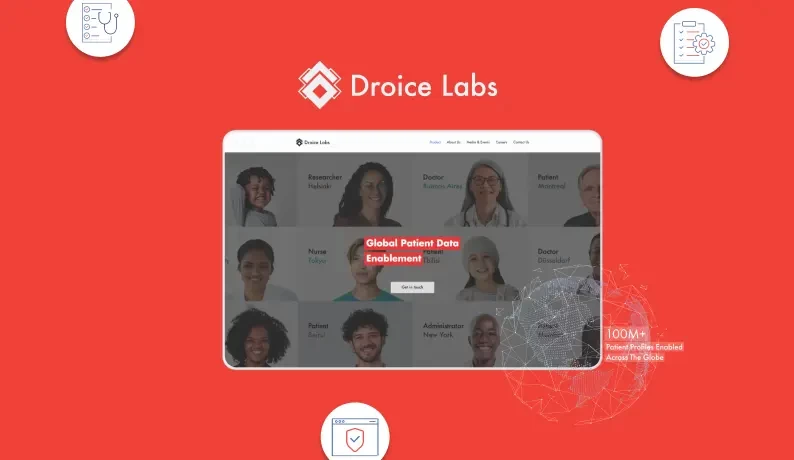
Droice Labs

Droice Labs

AI-based personal health monitoring and preventive care platform designed to transform diverse clinical and patient data into actionable insights.

View Case Study →
LOGISTICS Revolutionizing Import Data Management in Logistics

Revolutionizing Import Data Management in Logistics

Revolutionizing Import Data Management in Logistics

View Case Study →

How Better ETL Pipelines Reduce Operational Work

More Dependable Reporting

Scheduled ETL jobs run consistently and deliver refreshed data to downstream systems on a predictable schedule. Your teams spend less time checking whether a load finished and more time working with the data.

Less Manual Recovery

Monitoring, alerts, and appropriate retry logic help identify failed jobs quickly and reduce repetitive manual intervention. When something does require attention, your team has the execution details needed to troubleshoot it faster.

Easier Data Source Additions

A well-structured control flow, reusable connection managers, and clearly defined transformations make it easier to bring new sources into the pipeline without rebuilding existing workflows each time requirements change.

More Consistent Business Data

Finance, operations, and other teams can work from shared warehouse data with defined transformation and loading rules. This reduces reliance on separate spreadsheets, manual extracts, and conflicting versions of the same numbers.

Client Testimonials (We're Rated 4.7 on Clutch)

Security and Compliance Built Into Your ETL Pipelines

Data pipelines often move sensitive information that needs clear rules for access, handling, and retention. Our data governance practices help define how that information should be managed within ETL workflows.

  • Check Icon

    HIPAA-Aligned Data Handling: PHI fields get masked or tokenized inside the data flow itself, before they ever reach a staging table outside the source system.

  • Check Icon

    SOC 2 Controls: Access to connection manager credentials and the SSISDB catalog is logged and scoped per role, matching the audit trail a SOC 2 review expects.

  • Check Icon

    GDPR Data Minimization: Transformations only carry the fields a downstream system needs, so personal data doesn’t spread into reports that never required it.

  • Check Icon

    ISO 27001 Alignment: Package deployment, credential storage, and environment configuration follow the same change control process as the rest of your infrastructure.

How Much Does ETL Integration Services Cost?

Most SSIS package rebuilds and modernization engagements run $8,000 to $35,000 depending on package count and how undocumented the existing estate is. Full Azure migrations run higher.

Tell us your scope for an exact number.


    Your data and info stays secure. Read our Privacy Policy.


    Why Teams Choose Citrusbug for ETL Integration Services

    Secure ADLC Delivery

    Secure ADLC Delivery

    Every package goes through our Secure ADLC methodology, with security and access review built into each build stage from day one, so credential handling stays clean well before go-live and stays that way after.

    Legacy Takeover Ready

    Legacy Takeover Ready

    We regularly inherit stalled or undocumented SSIS estates left behind by a departed contractor, mapping every dependency and getting the pipeline stable and documented inside a few weeks.

    Discovery Before Build

    Discovery Before Build

    Requirement analysis, dependency mapping, and a documented data flow diagram come before a single package gets touched, so the rebuild matches how your business actually moves data today.

    FAQs on ETL Integration Services

    Can you take over SSIS packages another vendor built with no documentation?

    Yes. We start with a dependency audit that maps every connection manager and transformation before touching a package, so nothing breaks silently during handover.

    Do you rewrite existing packages or patch them?

    Depends on the package. Ones that are structurally sound get patched and documented. Ones with tangled control flow logic get rebuilt from the mapped requirements.

    How long does a legacy SSIS modernization project take?

    Most single-estate modernizations run 6 to 12 weeks depending on package count and how much dependency mapping the audit turns up.

    What does migrating SSIS packages to Azure actually involve?

    Provisioning an Azure-SSIS Integration Runtime, moving the SSISDB catalog, configuring managed identity authentication, and validating every package's output against production before cutover- the same discipline we apply to any data migration.

    Do you set up SSISDB catalog monitoring, or only build packages?

    Both. We configure logging and alerting inside the SSISDB catalog under the project deployment model, so failures surface immediately instead of piling up silently.

    What happens if SSIS 2025 deprecates a feature we rely on?

    We flag deprecated dependencies like the Legacy SSIS Service or 32-bit mode in your SSIS software during the audit and replace them before they cause a production issue.

    Can you connect non-Microsoft sources like Salesforce or Oracle?

    Yes. SSIS connects to Oracle and MySQL natively, and we build custom connectors for Salesforce, REST APIs, and other systems without a built-in adapter.

    Who owns the packages and documentation after the project ends?

    You do. Full source code, package files, and dependency documentation transfer at delivery, with no vendor lock-in on the SSISDB catalog.

    What's the realistic cost range for an ETL integration services engagement?

    Most package rebuilds run $8,000 to $35,000. Full Azure migrations or new multi-source builds typically run higher, scoped after a short audit.

    Build ETL Pipelines Your Team Can Rely On

    Tell us what you need to build, fix, modernize, or move to Azure. We’ll review your current environment, discuss your requirements, and outline the right next steps.