
 Back
Back

Key Takeaways
- Incompatible standards: Use appropriate interface engines, transformation logic, and FHIR APIs to connect systems that exchange data differently.
- Poor data quality: Establish terminology mapping, patient-matching rules, and validation checks before data reaches clinical workflows.
- Restricted vendor access: Confirm API availability, permissions, licensing, and rate limits before committing to an integration design.
- Legacy systems: Use staged migration and incremental integration rather than replacing every system at once.
- Security and privacy: Apply access controls, encryption, audit logging, and clear responsibilities across connected systems.
- Vendor-specific configuration: Validate the integration against the exact EHR configuration and deployment environment.
EHR integration connects electronic health record systems with the other applications healthcare organizations rely on, including laboratories, pharmacies, billing platforms, imaging systems, patient portals, and health information exchanges. When those connections work well, clinicians can access relevant information without switching between disconnected systems or relying on manual data entry.
But connecting two systems is rarely just a matter of making their APIs communicate. Differences in data formats, patient identifiers, terminology, vendor access, security requirements, and clinical workflows can all prevent information from moving accurately and consistently.
These EHR systems data integration challenges can lead to duplicate records, incomplete patient histories, delayed workflows, and ongoing maintenance costs. Addressing them requires more than choosing an integration technology. Teams need to understand how data is created, exchanged, interpreted, and used across the organization.
This guide covers seven common challenges and practical ways to address each one, from selecting the right integration architecture to testing data quality and preparing staff for changes.
What Is EHR Integration, and How Is It Different From Interoperability?
EHR integration is the technical and operational work required to exchange data between an electronic health record and another system. For example, an EHR might send an order to a laboratory, receive the result, and make it available in the patient’s chart.
Interoperability in healthcare is the broader ability of different systems to exchange information and use it meaningfully. A connection may successfully transfer a message while still failing to preserve its clinical meaning, match it to the correct patient, or display it in the right workflow.
Consider a laboratory result that reaches an EHR but arrives without the expected units or reference range. The connection is working at a basic technical level, but the information may not be usable without further validation.
A successful integration therefore needs to address three things:
- Connectivity: Can the systems exchange information reliably?
- Meaning: Do both systems interpret the information consistently?
- Workflow: Can the receiving team use the information correctly without unnecessary manual work?
These distinctions matter when defining the scope, architecture, and acceptance criteria for an integration project.
7 EHR Systems Data Integration Challenges and How to Fix Them
1. Incompatible Data Standards and Formats
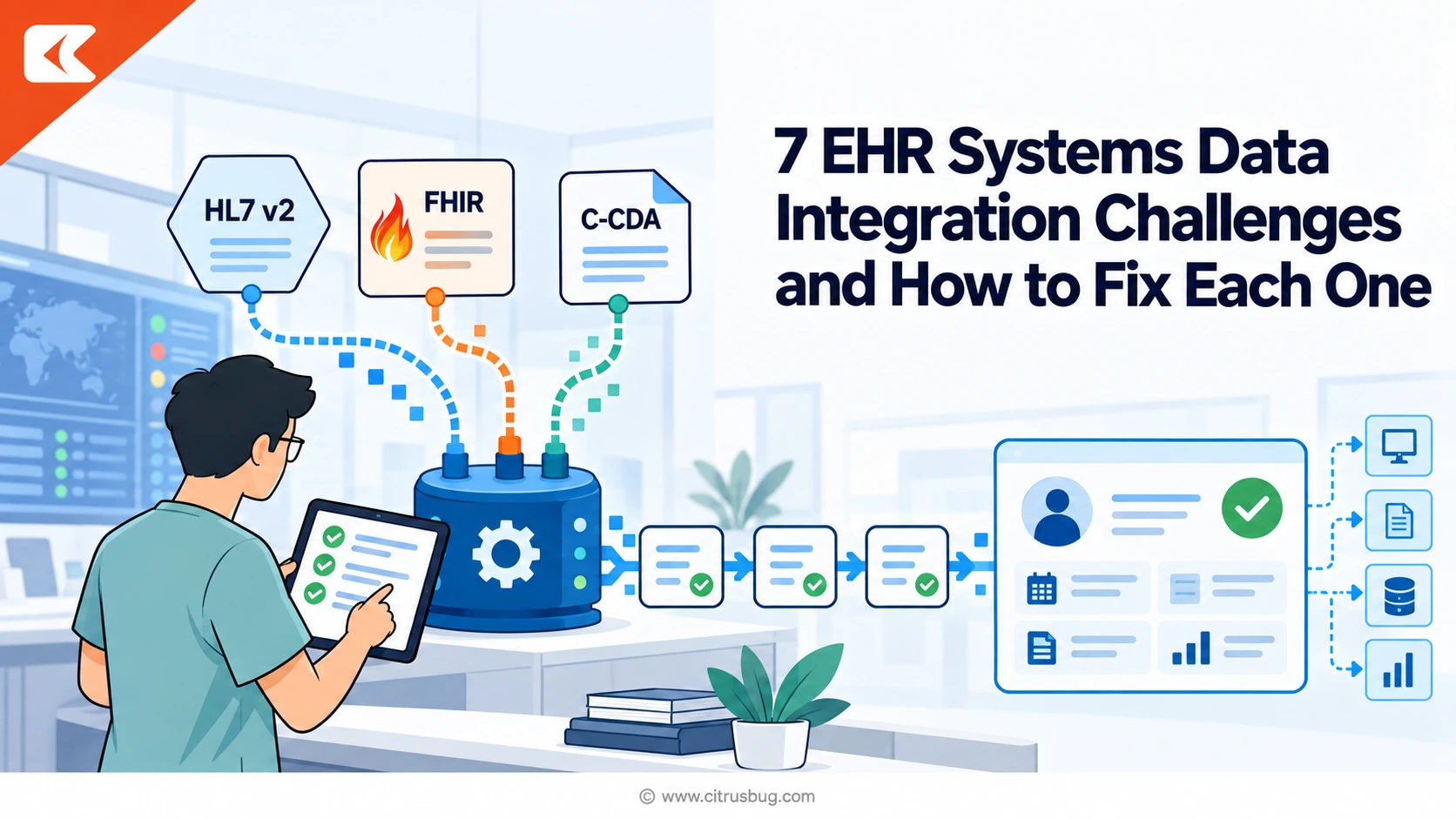
Healthcare applications do not all represent or exchange information in the same way. One system may use HL7 version 2 messages to transmit laboratory results, while another exposes FHIR resources through an API. Documents may arrive in C-CDA format, and older applications may rely on custom files or proprietary interfaces.
Even when two systems support the same standard, they may implement different versions, profiles, fields, or optional elements.
For example, an EHR may send a laboratory order using one set of codes and field conventions, while the receiving laboratory system expects a different structure. Without an appropriate transformation, the receiving system may reject the message or process it incorrectly.
How to fix it
Start by documenting each system’s supported interfaces, data formats, versions, and implementation requirements. Then select an integration approach based on the systems involved and the data being exchanged.
- Use HL7 v2 when working with existing clinical messaging interfaces that depend on it.
- Use FHIR APIs when the required resources, operations, and access permissions are available.
- Use C-CDA when exchanging structured clinical documents, such as summaries of care.
- Use an interface engine or integration layer to transform messages, route data, handle retries, and record failures when the architecture requires it.
Build explicit mappings for required fields rather than assuming that similarly named fields have identical meanings. Test valid messages, missing fields, unexpected values, and rejected transactions before connecting production systems.
For projects involving several systems or different API standards, the right healthcare API integration approach can help teams manage data mapping, routing, authentication, and error handling across connections.
What to measure: Message acceptance rate, failed transactions, transformation errors, and the time required to resolve interface failures.
2. Poor Data Quality and Inconsistent Patient Matching
A connection can transfer information successfully and still deliver inaccurate or incomplete data. Differences in patient identifiers, terminology, units, timestamps, and coding conventions can create problems when information moves between systems.
Patient matching is especially important. One system may identify a patient using a medical record number, while another uses a different identifier. Names, dates of birth, addresses, and other demographic details may also differ because of data entry errors or changes over time.
If matching rules are too loose, records belonging to different people may be combined. If they are too strict, the same patient may end up with duplicate records.
Clinical terminology presents another challenge. The same concept may be represented differently across systems, making it difficult to compare results or use the data consistently.
How to fix it
Define data-quality and matching rules before moving data into production.
- Set up data governance that establishes which system is authoritative for each important data element, such as patient demographics, medication lists, or encounter details.
- Use a master patient index or equivalent matching process where appropriate, with clear thresholds for automatic matches and manual review.
- Map clinical concepts to appropriate terminology standards, such as SNOMED CT for clinical concepts, LOINC for many laboratory and observation identifiers, and RxNorm for normalized medication information.
- Validate units, dates, required fields, code systems, and value ranges at the point of exchange.
- Create a process for resolving duplicate records, unmatched patients, and conflicting data without silently overwriting existing information.
Do not treat a high matching score as proof that two records belong to the same person. Test the rules against realistic cases, including incomplete demographics, changed names, and similar patient details.
What to measure: Duplicate-record rate, unmatched-record rate, manual reconciliation workload, and the number of data-quality issues detected after launch.
3. Restricted Vendor APIs and Limited Access to Data
EHR vendors differ in how they expose data and support third-party integrations. An application programming interface (API) may be available only for specific resources, require additional licensing, impose rate limits, or depend on vendor approval.
A vendor may support FHIR but not expose every resource or operation the project needs. An integration that depends on a specific event notification or write-back capability may therefore require a different design from one that only reads patient information.
Access restrictions can also affect project schedules. If a team discovers late in development that the required interface is unavailable, it may need to negotiate access, redesign the integration, or change the scope.
In the United States, information-blocking rules under the 21st Century Cures Act are relevant to certain practices that interfere with access, exchange, or use of electronic health information. However, not every API limitation or commercial restriction automatically constitutes information blocking; the facts, applicable requirements, and exceptions matter.
How to fix it
Confirm technical and commercial access before finalizing the architecture.
- Obtain the vendor’s current API documentation and confirm which data elements, operations, and events are supported.
- Verify sandbox access, production approval requirements, authentication methods, rate limits, licensing fees, and any usage restrictions.
- Confirm whether the integration needs read-only access, write-back, subscriptions, bulk export, or real-time updates.
- Test authentication, pagination, error responses, and rate-limit handling early.
- Document fallback procedures for unavailable interfaces, including whether manual workflows or delayed synchronization are acceptable.
If a vendor does not provide the required access, evaluate alternatives with the vendor and your legal or compliance team. Do not assume that an undocumented interface or direct database access is a safe or supportable workaround.
What to measure: Time to obtain access, API error rates, rate-limit events, and the proportion of required data elements available through approved interfaces.
4. Legacy Systems and Complex Data Migration
Healthcare organizations often need to connect modern applications with systems that have been in place for years. These may include older EHRs, laboratory systems, billing software, imaging archives, and custom applications with limited documentation.
Replacing every healthcare legacy system at once is expensive and operationally risky. Keeping them indefinitely without a clear integration strategy can also increase maintenance costs and create dependencies that are difficult to change.
Migration adds further complexity. Historical records may contain obsolete codes, inconsistent formats, duplicate entries, or data that does not map directly to the destination system.
How to fix it
Use a staged approach based on clinical importance, technical feasibility, and business risk.
- Inventory the systems. Document owners, interfaces, data types, dependencies, and support status.
- Classify the data. Separate information that must move into the new system from information that can remain accessible through a read-only archive or existing application.
- Map and transform records. Define how fields, codes, identifiers, and historical values will be represented in the destination.
- Pilot a limited data set. Test representative records before migrating large volumes.
- Reconcile the results. Compare source and destination record counts, required fields, key clinical values, and exception reports.
- Plan rollback and continuity. Define what happens if migration fails, synchronization falls behind, or users cannot access essential information.
For some organizations, a temporary integration layer can help maintain data exchange while systems are replaced incrementally. That layer should have clear ownership and retirement plan so it does not become another unsupported legacy dependency.
What to measure: Migration exceptions, unresolved dependencies, data discrepancies, downtime, and the time needed to retire redundant interfaces.
5. Security, Privacy, and Compliance Across Connected Systems
Every additional connection creates another point where sensitive health information may be accessed, transmitted, stored, or exposed. A secure source EHR does not automatically make every connected application secure.
Risks can arise from excessive permissions, poorly protected credentials, unencrypted transfers, weak logging, misconfigured environments, and unclear responsibility between organizations.
In the United States, HIPAA requirements may apply to covered entities and business associates handling protected health information, so connected applications may need to be designed as HIPAA-compliant applications. The exact obligations depend on the organizations, services, data flows, and applicable arrangements. Other jurisdictions may impose additional privacy, residency, or security requirements.
Security and compliance should therefore influence the integration design from the beginning rather than being treated as a final checklist.
How to fix it
Build security controls into the architecture and operating procedures.
- Apply least-privilege access, role-based permissions, and appropriate authentication for users, applications, and services.
- Encrypt protected information in transit and at rest where applicable.
- Use managed secrets and credentials rather than embedding them in source code or configuration files.
- Log access, data exchanges, administrative changes, and failures, while limiting sensitive information in application logs.
- Define data retention, deletion, backup, and incident-response procedures.
- Review vendor and business associate responsibilities, including how incidents are reported and handled.
- Separate development, testing, and production environments and use appropriately protected test data.
Test not only whether authorized requests succeed, but also whether unauthorized requests are rejected. Review logs and alerts to ensure that failures and suspicious activity can be investigated.
What to measure: Access-control test results, unresolved security findings, audit-log coverage, incident response time, and completion of required security reviews.
6. Vendor-Specific Configuration and Production Approval
An integration that works in a test environment may still fail when deployed to a real healthcare organization. EHR instances can differ in enabled modules, local configuration, terminology, permissions, custom fields, and interface settings.
Production access may also require vendor review, customer authorization, security assessment, or additional configuration. The exact process varies by vendor, product, and implementation.
For example, an application may successfully retrieve a patient’s demographics in a sandbox but lack permission to access encounters or write a result in the production environment. A local configuration change can also alter how a field is populated or how a workflow behaves.
How to fix it
Treat each production environment as a distinct deployment target, even when the same EHR product is used across multiple sites.
- Confirm the required permissions, modules, interface settings, and vendor approvals for each environment.
- Maintain a configuration checklist that can be reviewed by the implementation team and the healthcare organization.
- Test against representative configurations, including differences between sites where relevant.
- Use version-controlled mappings and configuration documentation so changes can be reviewed and reproduced.
- Validate production credentials, endpoint settings, network access, and monitoring before go-live.
- Agree on a process for testing vendor updates and responding to changes that may affect the integration.
Do not rely on a single successful sandbox demonstration as proof of production readiness. Acceptance testing should confirm the actual data and workflows that users will depend on.
What to measure: Production approval time, environment-specific defects, deployment failures, and incidents caused by configuration changes.
7. Workflow Disruption and Low Adoption
Even technically reliable integrations can fail to deliver value if they do not fit clinical and administrative workflows. Information may arrive in the wrong screen, appear at the wrong time, or require staff to repeat steps that the integration was intended to remove.
For example, a referral may be transmitted successfully but still require staff to re-enter information into a scheduling system. A laboratory result may arrive but remain difficult to find in the clinician’s normal workflow.
These issues are often missed when integration testing focuses only on message delivery and API responses.
How to fix it
Involve the people who will use the connected systems in requirements gathering and acceptance testing.
- Map the existing workflow before deciding what should be automated.
- Identify which user needs each data element, when it is needed, and what action should follow.
- Test complete scenarios from the originating system to the point where a clinician or administrator uses the information.
- Include exception scenarios, such as missing data, delayed results, duplicate referrals, and failed synchronization.
- Train users on changes to their workflow and provide a clear route for reporting problems.
- Monitor actual usage after launch and adjust the integration when it creates unnecessary steps.
Define acceptance criteria around operational outcomes, not just technical delivery. Depending on the project, these may include reduced manual entry, faster access to results, fewer unresolved referrals, or fewer duplicate records.
For workflows that extend beyond data exchange, it can also help to understand how AI and automation in EHR workflows can support specific tasks without adding extra steps for clinical staff.
What to measure: Manual re-entry time, workflow completion time, unresolved exceptions, user-reported issues, and adoption of the integrated workflow.
Choosing the Right EHR Integration Approach
There is no single integration method that works for every healthcare environment. The right choice depends on the systems involved, data requirements, vendor capabilities, expected volume, and operational constraints. Several approaches can also be used together.
| Approach | Where it fits | Main consideration |
|---|---|---|
| Point-to-point integration | A small number of systems with limited exchange requirements | Can be straightforward initially, but many separate connections can become difficult to maintain |
| Interface engine | Organizations managing multiple clinical messages and system connections | Centralizes routing and transformation, but requires configuration, monitoring, and maintenance |
| FHIR APIs | Applications that need supported, resource-based access to clinical data | Capabilities depend on the resources, operations, permissions, and implementation supported by the EHR |
| Vendor-supported integration network | Systems that can use an established vendor or partner connection | May simplify onboarding, but access, fees, supported workflows, and dependencies need review |
| Health information exchange or network | Cross-organization exchange where participating organizations and use cases are supported | Participation, data availability, identity matching, and permitted use vary by network and context |
A point-to-point connection may be sufficient for a limited integration. An interface engine may be more suitable when several systems exchange different types of clinical messages. FHIR APIs can support application access to structured resources, while a health information exchange can help participating organizations share information across organizational boundaries.
These options are not mutually exclusive. A healthcare organization might use an interface engine for HL7 messages, FHIR APIs for a patient-facing application, and a health information exchange for cross-organization data sharing.
The key is to choose based on defined requirements rather than selecting a technology simply because it is newer or more widely discussed.
What Do EHR Integration Projects Cost, and How Long Do They Take?
EHR integration costs vary with the number of systems, data types, interface availability, vendor fees, security requirements, transformation complexity, and testing needed before production use.
A straightforward integration between two systems with documented interfaces can be very different from a multi-site project involving legacy migration, patient matching, custom workflows, and several vendor approval processes.
For planning purposes, Citrusbug’s indicative estimate for a standard two-system integration is 15,000–60,000, with a timeline of approximately six to twelve weeks. This is a vendor-specific planning range, not an industry-wide benchmark or a guaranteed quote.
The actual scope may fall outside this range, particularly when vendor access is delayed, historical data requires substantial cleanup, or the integration spans multiple environments.
Before committing to a budget or timeline, clarify:
- Which systems and workflows are included?
- Is the required API or interface already available?
- Does the work involve historical migration or only ongoing data exchange?
- What security reviews, vendor approvals, and clinical validation are required?
- Who will test the integration and sign off on production readiness?
- What monitoring, support, and change management will be needed after launch?
A useful estimate should connect the price to defined deliverables, assumptions, dependencies, and acceptance criteria. That makes it easier to compare proposals and understand what could change the cost.
How to Plan an EHR Integration Project
A practical integration plan should turn the challenges above into specific decisions, responsibilities, and tests.
Step 1: Define the Business and Clinical Need
Identify the workflow that needs to improve. It could be exchanging laboratory results, sharing medication information, sending referrals, synchronizing patient demographics, or connecting an EHR with a billing platform.
Document the current problem and the expected outcome. “Connect the systems” is not a sufficient requirement; “make finalized laboratory results available in the correct patient chart without manual re-entry” is more useful.
Step 2: Map Systems and Data Flows
List the systems involved, their owners, supported interfaces, data elements, and dependencies. Record where data originates, where it goes, and which system is authoritative when information conflicts.
This step can reveal missing vendor permissions, unsupported data elements, or dependencies that could affect the design and schedule.
Step 3: Choose the Architecture
Select the integration method based on interface availability, data volume, workflow requirements, security, maintainability, and cost. Document the reasons for the choice, including any limitations and fallback procedures.
Step 4: Build and Validate the Data Mappings
Define field mappings, terminology transformations, patient-matching rules, validation checks, and error-handling behavior. Test both successful exchanges and expected failure cases.
Step 5: Test With End Users
Run end-to-end healthcare software testing scenarios with clinical, administrative, and technical stakeholders. Confirm that the right data reaches the right person, appears in the appropriate workflow, and supports the intended action.
Step 6: Launch With Monitoring and Ownership
Use a controlled rollout where possible. Monitor errors, latency, data quality, and workflow outcomes. Assign responsibility for incident handling, vendor changes, interface updates, and ongoing maintenance.
Measuring Whether an EHR Integration Is Working
A successful integration should be evaluated through a small set of measures tied to its purpose. Technical reliability matters, but it should not be the only indicator of success.
| Metric | What it tells you |
|---|---|
| Integration availability | Whether the connection is accessible when needed |
| Message or transaction failure rate | How often exchanges fail or require intervention |
| Data completeness and accuracy | Whether required information arrives in a usable form |
| Duplicate and unmatched record rate | Whether patient-matching rules are working as intended |
| Data availability time | How quickly information becomes accessible in the receiving workflow |
| Manual re-entry hours | Whether the integration is reducing repetitive work |
| Unresolved exception volume | Whether failures are being identified and resolved promptly |
Establish a baseline before implementation and compare results after launch. Interpret metrics together: a low message-failure rate does not prove that data is clinically correct, and faster data delivery does not necessarily mean staff can use it effectively.
Review results with the teams responsible for the workflow. That helps distinguish technical defects from training gaps, process issues, or limitations in the source data.
Regulatory and Interoperability Developments to Watch
Regulatory requirements can affect which data must be exchanged, which interfaces are needed, and how systems support access to health information. They should inform project planning, but they do not replace a review of the specific requirements that apply to each organization.
Three U.S. developments are especially relevant to interoperability planning:
- Information-blocking rules: The 21st Century Cures Act framework addresses certain practices that interfere with access, exchange, or use of electronic health information. Teams should assess applicable requirements and exceptions rather than assuming every access limitation has the same legal status.
- CMS-0057-F: The CMS Interoperability and Prior Authorization final rule establishes requirements for specified payers, including FHIR-based APIs and changes to prior authorization processes. The operational provisions and API requirements have different compliance dates, with many API requirements generally beginning in 2027. Applicability depends on the organization and provision. See the official CMS rule summary.
- HTI-5: The Health Data, Technology, and Interoperability: ONC Deregulatory Actions to Unleash Prosperity rule was published as a proposed rule in December 2025. Proposals should not be described as final requirements unless and until they are finalized and applicable. See the official ASTP/ONC overview.
For an integration project, translate relevant requirements into concrete design decisions: which data must be available, who may access it, what permissions are needed, and how exchanges should be documented and tested. Confirm current obligations with qualified compliance or legal advisers before relying on a regulatory interpretation.
Building an EHR Integration That Works Beyond Go-Live
EHR integration is not complete when two systems exchange their first successful message. The connection must preserve the meaning of clinical data, associate it with the correct patient, meet security requirements, and support the way staff work.
The most reliable projects begin with a clearly defined workflow, confirm interface access early, validate data mappings, and test real-world exceptions before production launch. They also establish ownership for monitoring and maintenance so vendor updates, configuration changes, and new requirements do not quietly undermine the integration.
Citrusbug helps healthcare organizations connect EHRs with clinical and operational systems through standards-based interfaces, data mapping, integration testing, and production support. If you are planning a new connection or addressing problems with existing interfaces, explore our EHR integration services to discuss your systems, data flows, and workflow requirements.
Frequently Asked Questions
What are the most common EHR integration challenges?
⇒ Common challenges include incompatible data standards, poor data quality, patient-matching errors, restricted vendor APIs, legacy systems, security and privacy requirements, environment-specific configuration, and disruption to existing workflows.
What is the difference between HL7 and FHIR?
⇒ HL7 is the standards organization behind multiple healthcare data-exchange standards. HL7 v2 is widely used for message-based exchange, while FHIR provides a framework for exchanging healthcare information through resources and commonly uses RESTful APIs. The right choice depends on the systems, use case, and interfaces available.
How do you maintain data accuracy between EHR systems?
⇒ Define authoritative sources for key data, map terminology and fields explicitly, validate required values and formats, and implement patient-matching rules with manual review for uncertain cases. Monitor duplicate records, unmatched records, and data discrepancies after launch.
How long does EHR integration take?
⇒ A straightforward integration may take several weeks, while projects involving multiple systems, legacy migration, complex data mappings, or extensive vendor approvals can take considerably longer. Citrusbug’s indicative estimate for a standard two-system integration is six to twelve weeks, subject to scope and dependencies.
How much does EHR integration cost?
⇒ Cost depends on the number of systems, interface availability, data complexity, security requirements, vendor fees, and testing. Citrusbug’s indicative estimate for a standard two-system integration is 15,000–60,000. A project-specific estimate requires a review of the systems, workflows, dependencies, and acceptance criteria.
Is FHIR enough to make two EHR systems interoperable?
⇒ No. FHIR can provide a standardized way to represent and exchange data, but interoperability also depends on supported resources, permissions, terminology, patient identity, implementation differences, and how the receiving system uses the information. A FHIR connection still needs appropriate mapping, validation, security, and workflow testing.
How can healthcare organizations secure EHR integrations?
⇒ Use least-privilege access, strong authentication, protected credentials, encryption, audit logging, secure environments, and documented incident-response procedures. Review the responsibilities of each participating organization and test that unauthorized access is blocked.
How do you know whether an EHR integration has succeeded?
⇒ Measure technical reliability alongside data quality and workflow outcomes. Useful indicators include transaction failures, duplicate records, data availability time, unresolved exceptions, and reductions in manual re-entry. Compare results against a baseline and review them with the teams using the integrated workflow.